Grocery shopping sounds simple until you actually have to do it. You remember three things while making breakfast.
Then you remember two more while getting ready for work. Someone messages you asking for snacks. You reach the supermarket and realize you forgot the first thing you thought of.
And this is exactly the sort of problem that AnyList aims to solve. Meet AnyList, a shopping-list app that helps users to create, organize, and share lists easily.
I love lists – the satisfaction of checking things off my list is perhaps the highlight of my day (sorry, I’m somewhat boring like that!).
It sounds basic. And honestly, that is part of the appeal. AnyList is not trying to become your entire productivity system.
Instead, it focuses heavily on helping users remember what to buy – it makes your whole shopping process easy and convenient.
But is it better than your everyday notes app? Is it worth your time? So, I decided to try this app for a few weeks and find out whether it’s worth using.
In this blog, I’m going to do a deep-dive of thos grocery list app, breaking down what works in its favor and, more importantly, what doesn’t.
Stay tuned.
What Is AnyList?
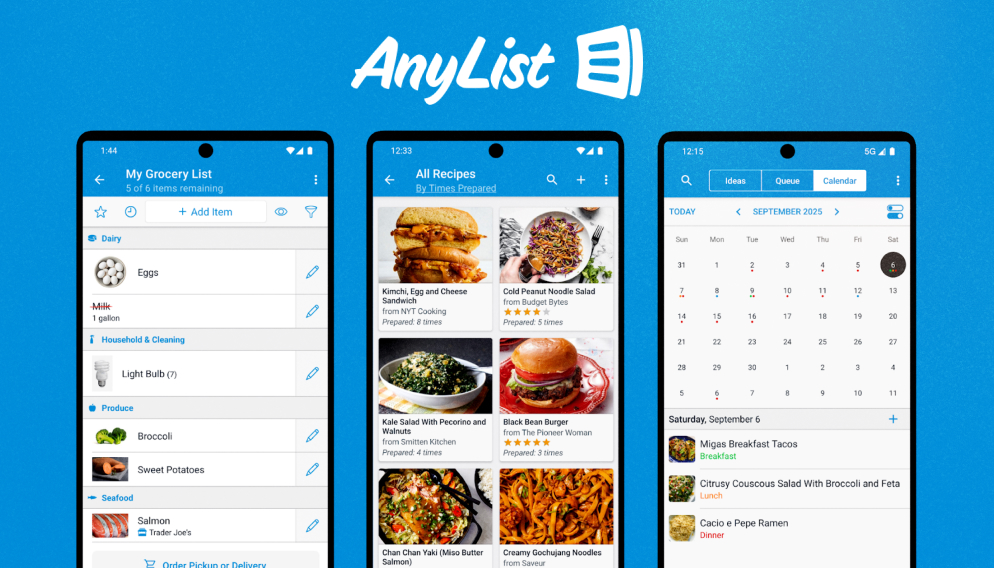
AnyList is a shopping-list app built primarily around grocery planning and shared shopping.
You can create lists for different needs, add products, organize items, and share lists with other people.
Also, the app is available on iPhone, iPad, Mac, Apple Watch, and Android devices, and it also has a web app.
One person can add something from their phone. Another person can see the update while shopping. The list stays shared instead of living in one person’s messages or notebook.
What Can You Do With AnyList?
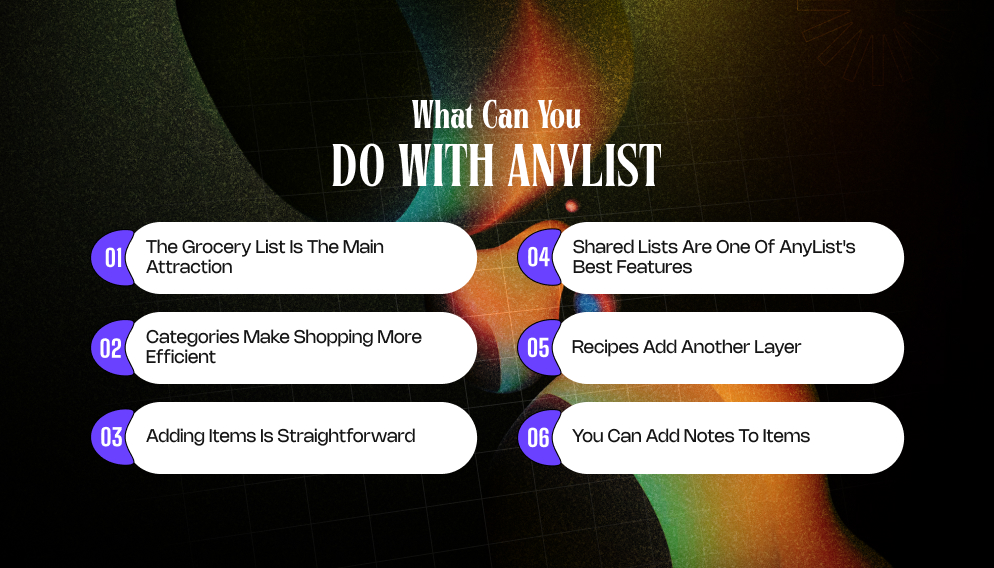
The app includes several features designed specifically around shopping. As a result, you can use this app to do more than one thing, including:
- Create multiple lists
- Add grocery items
- Organize items into categories
- Share lists
- Add quantities
- Add notes
- Create recurring items
- Add photos
- Save favourite items
- Organise recipes
- Build shopping lists from recipes
Also, some features are available only with AnyList Complete, the app’s paid subscription.
1. The Grocery List Is The Main Attraction:
AnyList’s grocery experience is where the app makes the most sense.
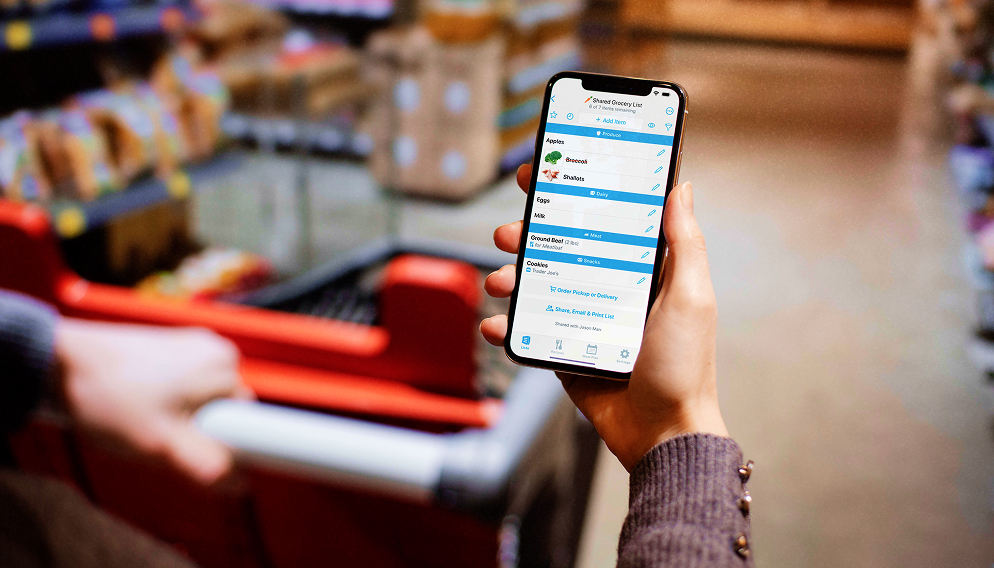
Instead of writing, ‘Milk, eggs, tomatoes, bread, chicken,’ and then walking around a supermarket trying to remember where everything is, AnyList can organize items into categories.
That makes the list easier to scan – You can see everything together. Plus, dairy can sit together. Meat can sit together. And pantry items can sit together as well.
This sounds like a small improvement. But when you are shopping with a long list, it can save unnecessary backtracking.
2. Categories Make Shopping More Efficient:
A grocery list is only useful if you can actually use it while walking through a store. Categories give the list some structure.
You can quickly see what you need from each section. That means AnyList is not simply storing information.
It is helping you organize that information around the way you shop. And that is an important difference.
3. Adding Items Is Straightforward:
The faster it is to add something, the more likely you are to use the app consistently. You do not want a five-step process every time you remember that you need toothpaste.
AnyList is designed around quick list entry.
You can add an item and continue building the list without turning grocery planning into a project.
That matters because shopping lists often get created throughout the week.
You might remember something while cooking. You might notice you’re running low on something. Also, someone else in the household might message you.
The app needs to make capturing that information easy.
4. Shared Lists Are One of AnyList’s Best Features:
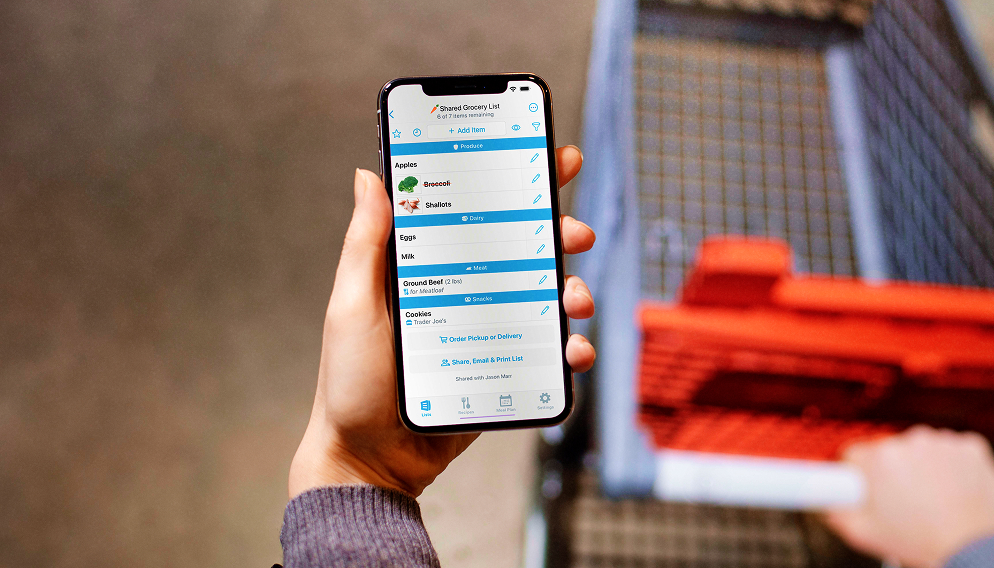
This is where AnyList becomes more useful than a basic notes app. You can share lists with other people. That means everyone with access can add items and see changes.
Imagine a couple preparing for the weekend. One person adds ‘Eggs, while the other adds ‘Coffee.’
Then someone notices they’re almost out of detergent – They add it too. When either person goes shopping, the same list is available.
Nobody has to combine three different text messages. Nobody has to ask, “What else did you need?” The shared list becomes the central record.
5. Recipes Add Another Layer
AnyList also includes recipe-related features. You can save recipes and use their ingredients to help create shopping lists.
This is useful because meal planning and grocery shopping are closely connected.
Without that connection, the process often looks like this: Choose recipe → write ingredients somewhere → make grocery list → shop.
A recipe-aware shopping list can reduce some of those steps. As a result, if you’re planning several meals for the week, this can become particularly useful.
Additionally, you can decide what you’re cooking, add the necessary ingredients, and then work from one shopping list.
6. You Can Add Notes To Items:
Not every grocery item is as simple as a product name. Maybe you need ‘Tomatoes that are firm, not overripe,’ or ‘Whole wheat bread,’ or ‘a plain, large tub of yogurt.’
Notes can reduce confusion when another person is doing the shopping.
Instead of receiving a vague message like, ‘Can you get yogurt,’ the shopper has more information.
That is particularly helpful when several people share the same household.
Anylist Is Not Just For Groceries:
Although groceries are the app’s strongest use case, you can create other lists too.
For example:
A) Home improvement:
- Light bulbs
- Paint
- Wall hooks
- Screws
B) Travel:
- Toiletries
- Chargers
- Snacks
- Travel adapters
C) Party:
- Decorations
- Plates
- Napkins
- Ingredients
D) Work:
- Printer paper
- Stationery
- Supplies
This makes the app more flexible than a supermarket-only checklist – You can create lists around whatever you need to remember.
AnyList For Couples:
AnyList can be especially useful for couples who split grocery shopping.
You may not shop together every time.
One person might stop at the supermarket after work. The other might do the weekend shopping.
A shared list lets both people contribute without needing to coordinate every item manually.
This can also help with household routines. As a result, if you notice something is running low, add it immediately.
You do not have to remember to tell your partner later. That small change can reduce a surprising amount of everyday friction.
AnyList For Families:
Families can use the same system; parents can add household essentials, and children can contribute items they need.
One person can shop while everyone else continues adding things. Also, it becomes useful before larger shopping trips.
For example, before a weekend gathering, you could create a dedicated list for:
- Food
- Drinks
- Cleaning supplies
- Household items
- Party supplies
This keeps one large shopping trip from becoming a collection of separate notes.
Is AnyList Free?
Yes, AnyList has a free version.
That is important because you can test the core experience before paying. So, try using it for a normal grocery trip.
Then ask:
- Did I actually remember more?
- Did sharing help?
- Was the list easier to use?
- Did categories make shopping faster?
- Did everyone in the household use it?
If the answer is yes, paying for additional features becomes easier to justify. However, if nobody uses the list, premium features will not solve the underlying problem.
AnyList Complete:
AnyList offers a paid subscription called AnyList Complete. The free version covers the basic shopping-list experience.
The paid version adds features such as recipe tools, list themes, list sharing options, and other advanced functionality.
Also, the exact feature availability can vary by platform, so check the current pricing and subscription page before paying.
As a result, for someone who simply needs a shared grocery list, the free version may be enough.
For people who want to use AnyList as a broader meal-planning and household shopping system, Complete may make more sense.
What I Liked About AnyList?
I actually liked using AnyList. Of course, for me the premium version doesn’t really cut the deal – I don’t want to pay for a list app and would rather use the free version.
On that note, here’s what I genuinely liked about this grocery list app:
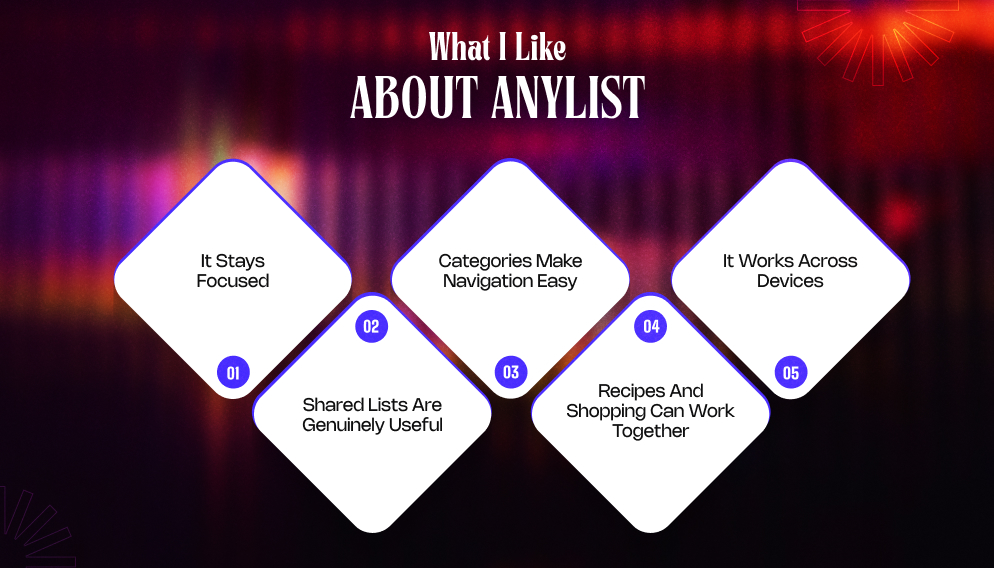
1. It Stays Focused: AnyList does not try to become a complete family-management platform. Its main job is shopping. That makes the experience relatively easy to understand.
2. Shared Lists Are Genuinely Useful: You and your partner can work on the same shopping list. That way, you guys don’t need to text back and forth.
3. Categories Make Navigation Easy: You can organize items around the way you actually shop.
4. Recipes And Shopping Can Work Together: This is useful for people who cook regularly.
5. It Works Across Devices: The availability across Apple devices, Android, and the web makes it easier for households using different platforms.
What I Don’t Like About AnyList?
As I was just saying, I’m not a fan of the premium version of this app – there’s nothing wrong with the premium version. It’s just that it doesn’t make much sense to pay for it.
Apart from that, there are only a few things I didn’t like about this grocery list app, including:
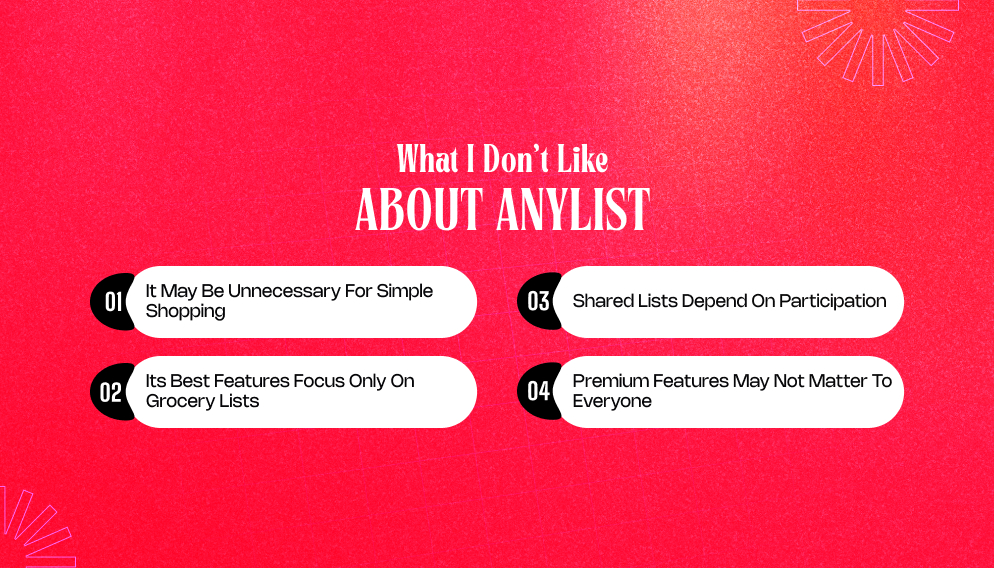
1. It May Be Unnecessary For Simple Shopping: If you shop for only a few things, then it doesn’t make sense for you – any notes app on your phone would do instead.
2. Its Best Features Focus Only On Grocery Lists: If you want a full family calendar, task manager, communication system, and household planner, you may need another app.
3. Shared Lists Depend On Participation: Everyone has to actually add things when they notice them.
4. Premium Features May Not Matter To Everyone: The free version already handles the basic job. If you only need simple lists, paying may not add enough value.
AnyList Vs Cozi:
This is probably the most useful comparison for someone deciding between the two. Both can help households organize shopping.
But they approach the problem differently.
- AnyList is shopping-first.
- Cozi is family-organization-first.
Cozi combines shopping with calendars, tasks, meal planning, and other family tools. AnyList goes deeper into the shopping experience.
So, if your biggest problem is, “We keep forgetting what we need from the supermarket,” then AnyList makes more sense.
But if your bigger problem is, “Our entire family schedule and household responsibilities are chaotic,” then Cozi may be a better fit.
Also, there is nothing stopping you from using both.
A family could use Cozi for schedules and AnyList for shopping. Whether that is worthwhile depends on how much app management your household is willing to tolerate.
AnyList vs Apple Reminders:
If everyone in your household uses Apple devices, Apple Reminders is a serious alternative. You can already create shared lists, add items, and check things off.
So why would you need AnyList? The answer is the shopping-specific experience.
AnyList is designed around groceries and shopping rather than general reminders. Its categories, recipe features, shopping organization, and grocery-focused workflow may make it more useful for frequent shoppers.
Having said that, if you and your family already depend on Apple Reminders and love using it, then it doesn’t make any sense for you to switch.
I mean, there is really no point in changing a system that is already working well for you.
Who Should Use AnyList?
AnyList is worth considering if you:
- Shop for groceries regularly.
- Share household shopping with someone else.
- Often forget items.
- Like organizing groceries by category.
- Cook from recipes.
- Plan meals in advance.
- Shop across different stores.
- Want separate lists for different purposes.
- Need a shopping list that works across multiple devices.
However, it may not be necessary if:
- You already use Apple Reminders or Google Keep successfully.
- Your shopping lists are very short.
- You rarely share shopping responsibilities.
- You want a complete family-management app rather than a shopping tool.
Is AnyList Worth Paying For?
To be super honest, I don’t think you should pay for a standard grocery shopping list app – and you can do that easily with the free version.
For me, the free version was pretty cool, considering I was able to create lists and share them to manage my daily and weekly shopping.
So, if you are in the same boat, then the free version is perfect for you.
However, AnyList Complete becomes more interesting if you want the additional recipes, customization, and advanced organization features.
The decision should come down to usage.
If you use AnyList several times every week, even a small improvement in your shopping routine can make the subscription worthwhile. But if you open it once a month, the free version is probably enough.
Additional Resources:
- Between App Review: What The Couples App Gets Right (And Where It Falls Short)
- Paired App Review: Does This Couples App Actually Bring You Closer?
- Rave App Review: Is This Watch Party App Actually Worth Using?

All Comments

NoteIt App Review: Is It Worth Your Time?
[…] AnyList Review: Is This Grocery List App Worth Using? […]